Tasks
The archive
It stops being a reminder of what to do and becomes the record of how something got solved. This is the reason Tisty exists: months later you search for…
A completed task is not finished. It is archived.
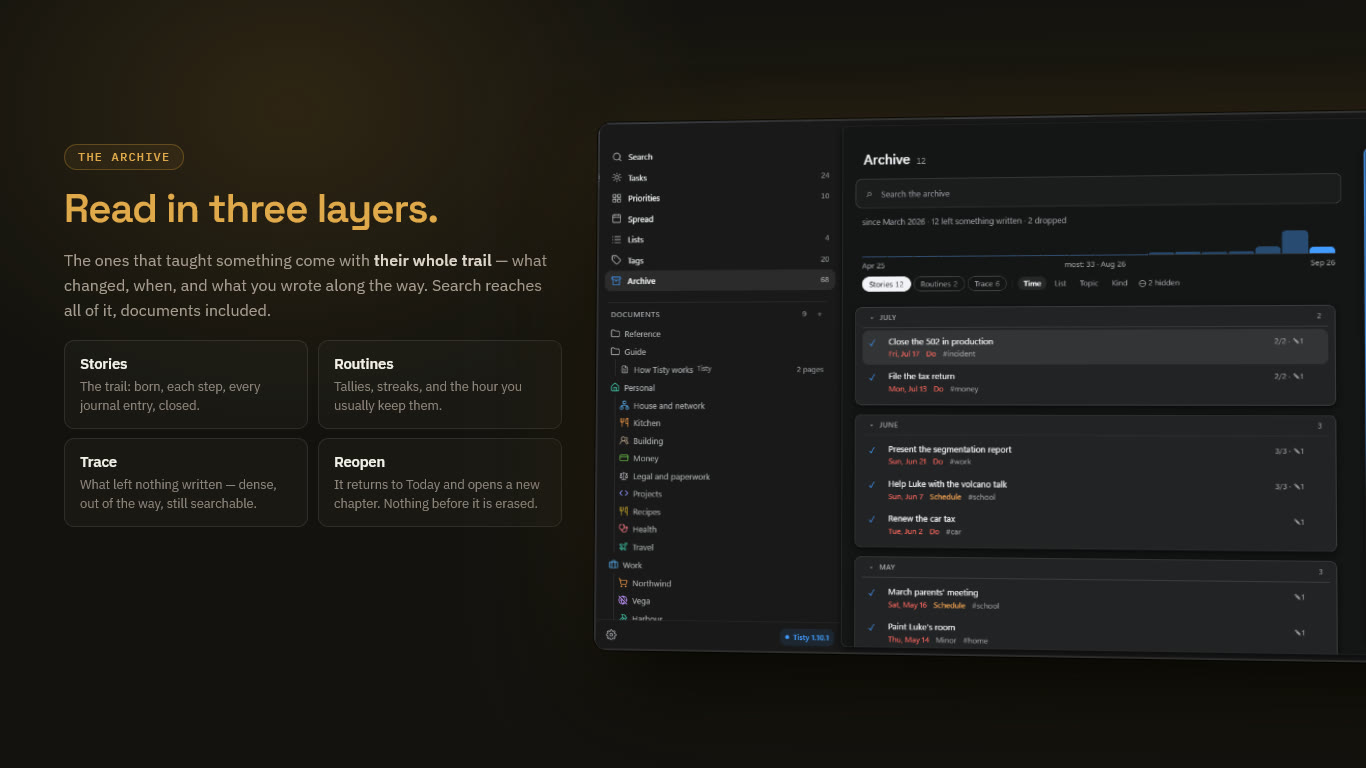
It stops being a reminder of what to do and becomes the record of how something got solved. This is the reason Tisty exists: months later you search for how you solved something, and it is there — the description, the journal, the steps, the documents you leaned on.
Completing, dropping, erasing
- Completing a task marks it done and sends it to the archive, with its steps, notes, attachments and documents intact.
- Dropping puts it aside without doing it: it lands in the archive too.
- What is in the archive stays there in case you look for it.
Three layers
| Layer | What it holds |
|---|---|
| Stories | Tasks that taught something, with their whole trail — what changed, when, and what you wrote along the way |
| Routines | Repeating tasks, with their tallies, their streaks and the hour you usually keep them |
| Trace | What closed leaving next to nothing written — listed dense and out of the way, because it still happened and search still reaches it |
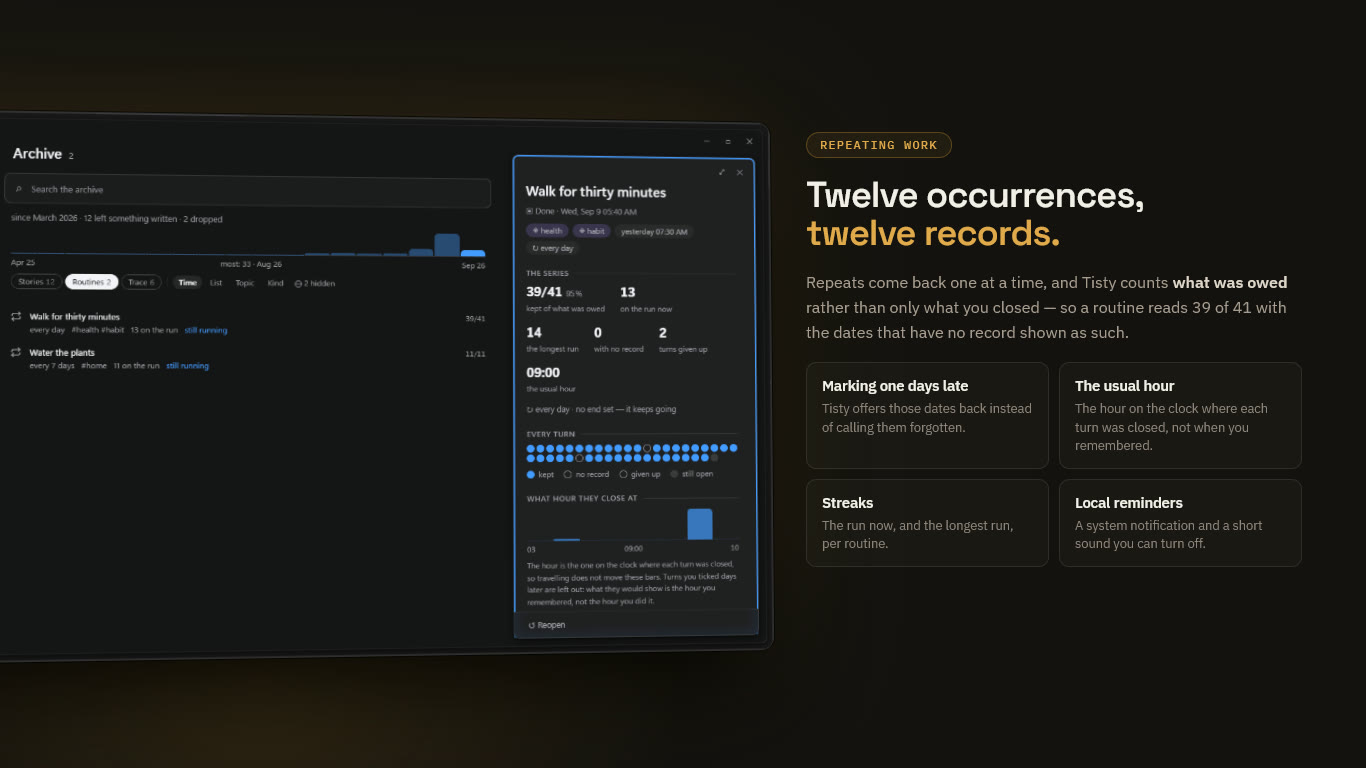
You decide which layer each one reads in: in the detail of a closed task, Move to the trace or Move to the stories. The trail keeps each move.
Search is the way in
Search is the main way into the archive, not a side feature. Search for a word you remember and it comes up — tasks and documents alike — even if you closed it two years ago.
Erasing for good
Caution Erasing is only possible for what is already closed and reads as a trace. A story is only ever hidden: to erase it, move it to the trace first. Erasing takes it off this computer, and off your other machines at the next sync, with no undo.
Erasing and hiding are one task at a time, from its detail or its row.
Files you had attached do not go with it, because another document might still use them. They stay behind as loose files, and Settings › Maintenance lists them for you to let go of when you want.
Note Tisty’s log only ever grows. Erasing a task removes it from what you see, not from the history underneath. Keep passwords and secrets out of tasks — see Privacy.
Keeping the store tidy
Settings › Maintenance › The store › Review counts what is spare, what is missing and what you can get back, and changes nothing on its own:
- Attachments nothing names any more go to the bin, with thirty days to change your mind.
- Documents on disk that the log does not name are set apart for you to look at first, because they may be the only copy of something — taking one in can never be wrong.